
You’ve built a website, published content, and waited for Google to bring visitors—but your pages still aren’t appearing where you expected. If you’re wondering, why is my website not ranking on Google, you’re not alone.
A website being live doesn’t automatically mean it will rank prominently in search results. Google has to discover, crawl, understand, and evaluate your pages before deciding where they belong in its search results.
The good news is that poor rankings usually aren’t caused by one mysterious problem. From technical issues and weak content to search intent and strong competition, there can be several reasons your website isn’t getting the visibility you want.
Let’s look at the most common causes and, more importantly, what you can do about them.
How Google Search Ranking Works
Before fixing ranking problems, it’s useful to understand how Google search ranking works.
Google’s process can broadly be understood in three stages:
Crawling → Indexing → Ranking
During crawling, Google discovers pages through links and other sources. During indexing, it analyzes and stores information about those pages. When someone searches, Google evaluates relevant indexed pages and determines which results are most useful for that particular query.
Relevance, content quality, website experience, links, authority, and many other signals can influence how pages perform.
This means that simply getting a page indexed doesn’t guarantee that it will rank highly.
Why Is My Website Not Ranking on Google?
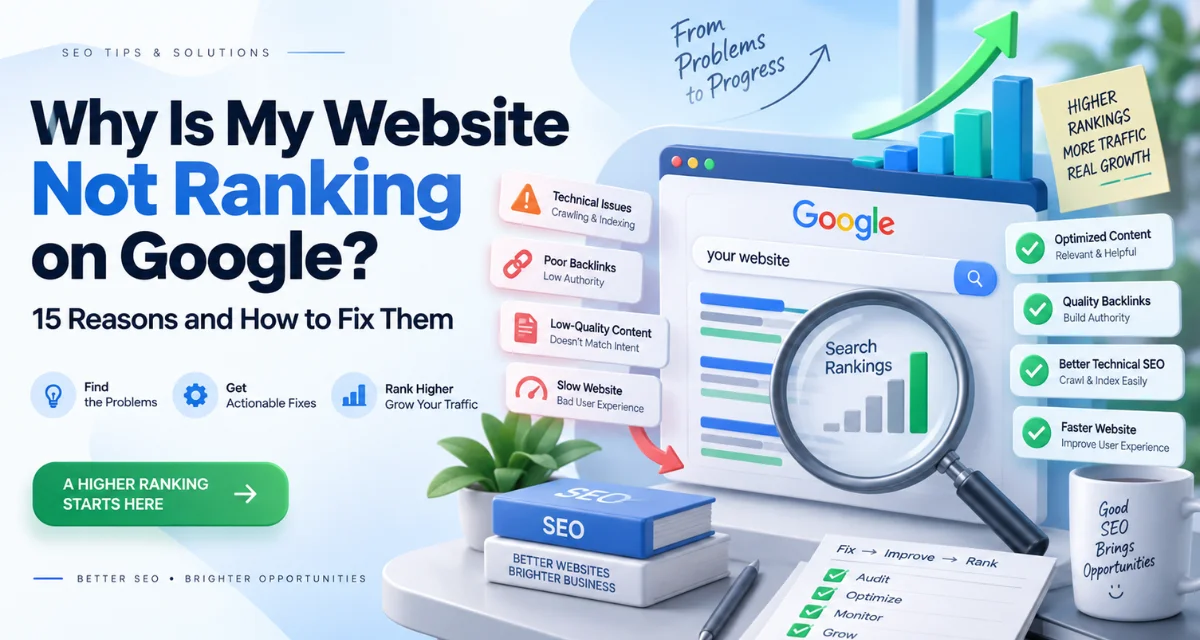
If your website isn’t appearing prominently in search results, here are 15 potential reasons to investigate.
1. Your Website May Not Be Indexed Properly
First, determine whether Google has actually indexed the page you’re expecting to rank.
Technical issues, accidental noindex directives, robots.txt restrictions, or crawling problems can prevent search engines from accessing or indexing important pages.
Google Search Console can help you identify indexing and crawling issues.
2. You’re Targeting the Wrong Keywords
A common mistake is choosing keywords based purely on search volume.
A keyword may receive thousands of searches but still be unsuitable for your website. If the topic doesn’t match your audience or what your business offers, ranking for it may not produce meaningful traffic.
Focus on keywords that reflect what your potential customers actually search for.
3. Your Content Doesn’t Match Search Intent
Google wants to provide results that satisfy the reason behind a search.
For example, someone searching for “how to fix a slow website” probably wants a practical guide—not a page that simply promotes a service.
Before creating content, understand whether the search is informational, commercial, navigational, or transactional.
4. Your Content Isn’t Providing Enough Value
Publishing an article isn’t enough.
If your page simply repeats information that already exists across dozens of websites, it may struggle to stand out.
Strong content should answer the reader’s question clearly, provide useful context, demonstrate expertise, and offer information that genuinely helps them accomplish something.
5. Your Website Lacks Topical Authority
One article rarely establishes strong topical coverage.
If your website wants to become visible for a particular subject, consider creating a collection of closely related, useful articles.
For example, a website discussing SEO could cover keyword research, search intent, technical SEO, content optimization, indexing, internal linking, and Google Search Console.
Relevant internal links can connect these topics and make the overall site structure easier to understand.
6. Your Website Has Technical SEO Problems
Technical problems can make it harder for search engines to crawl and understand your website.
Potential issues include:
- Broken links
- Incorrect redirects
- Duplicate pages
- Poor site structure
- Indexing errors
- Missing or incorrect canonical tags
- Crawl restrictions
Regular technical checks can help identify problems before they affect important pages.
7. Your Internal Linking Is Weak
Internal links connect pages within your own website.
A well-planned internal linking structure helps visitors discover related information and can help search engines understand the relationship between different pages.
Don’t add links randomly. Link related pages where doing so genuinely helps the reader.
8. Your Website Is Slow or Difficult to Use
A website that loads slowly or creates a frustrating experience can negatively affect how users interact with your pages.
Check page performance, navigation, readability, and overall usability.
Your website should make it easy for visitors to find the information they came for.
9. Your Website Isn’t Mobile-Friendly
A large portion of web searches happen on mobile devices.
If your website is difficult to read, navigate, or interact with on a smartphone, you’re creating unnecessary friction for visitors.
Test important pages on different screen sizes and make sure buttons, menus, forms, and text work properly.
10. Your Page Titles Are Weak
Your page title helps users and search engines understand what a page is about.
Avoid vague titles such as “Home,” “Services,” or “Blog Post.”
Instead, create descriptive titles that accurately represent the content and align with the searcher’s intent.
A good title should encourage the right user to click without making misleading promises.
11. Your Website Has Limited Authority
Search engines consider signals beyond what’s written on a page.
Links and references from relevant, credible websites can contribute to a site’s authority and visibility.
However, building authority isn’t about collecting as many links as possible. Relevant, trustworthy references are generally more valuable than low-quality or artificial links.
12. You’re Competing Against Stronger Websites
Sometimes your website isn’t doing anything technically wrong—you’re simply competing against established websites.
A competitive keyword may have search results dominated by websites with extensive content, strong authority, and years of online presence.
Instead of targeting only extremely broad keywords, consider more specific topics where your website can provide highly relevant answers.
13. Your Content Is Too Similar to Existing Content
If your page offers little original value compared with existing search results, it may struggle to gain visibility.
Don’t simply rewrite the top-ranking articles.
Look for unanswered questions, practical examples, unique insights, clearer explanations, and information that can make your content genuinely more useful.
14. Your Website Has a Poor User Experience
Visitors should be able to understand your website without effort.
Confusing navigation, excessive pop-ups, difficult forms, intrusive elements, and poorly organized content can create friction.
Good user experience isn’t about making a website visually impressive alone. It is about helping people accomplish what they came to do.
15. Your Website Needs More Time and Improvement
SEO isn’t always immediate.
New websites and newly published pages may need time to be discovered, evaluated, and compared with existing results.
Instead of publishing a page and forgetting about it, monitor its performance and improve it based on search data, user behavior, and changing search intent.
Indexed Doesn’t Always Mean Ranked
One of the biggest misunderstandings in SEO is assuming that indexing automatically leads to rankings.
A page can be crawled and indexed without receiving meaningful organic visibility.
Think of it this way:
Crawled: Google discovered your page.
Indexed: Google processed and stored your page in its index.
Ranked: Your page is being displayed for relevant searches at a particular position.
So, if you’re asking why is my website not ranking on Google, first determine whether the problem is crawling, indexing, relevance, content quality, authority, competition, or another factor.
How to Find Out Why Your Website Isn’t Ranking
Instead of guessing, use data to diagnose the problem.
Start with Google Search Console and examine:
- Which pages are indexed
- Which search queries generate impressions
- Which pages receive clicks
- Average search positions
- Indexing problems
- Search performance trends
- Pages with impressions but very few clicks
Then review the page itself.
Ask:
Does the content actually answer the searcher’s question?
Is the keyword relevant to the page?
Does the page offer something useful that competing results don’t?
Can Google easily crawl and understand it?
Is the website easy to navigate on mobile?
This process gives you a much clearer picture than simply searching your keyword repeatedly and hoping the ranking changes.
What Should You Fix First?
If you’re trying to determine why is my website not ranking on Google, don’t attempt to change everything simultaneously.
Start with the fundamentals:
- Check crawling and indexing.
- Review your target keywords.
- Match content with search intent.
- Improve thin or outdated content.
- Strengthen internal linking.
- Fix important technical issues.
- Improve mobile usability and page experience.
- Build relevant topical authority.
- Evaluate your competition.
- Monitor results and keep improving.
If you need help evaluating the broader digital presence of your business, you can also explore Orbit Media Co’s digital marketing services.
Final Takeaway
Understanding how Google search ranking works makes it easier to diagnose why a website isn’t performing.
There isn’t a single formula that guarantees a first-page position. A page needs to be accessible, relevant, useful, technically sound, and competitive for the searches it targets.
If you’ve been asking, why is my website not ranking on Google, start with the basics rather than immediately chasing more keywords or publishing hundreds of new pages.
Check whether Google can access your website, understand what your pages are about, and determine whether your content genuinely satisfies the searcher’s needs.
SEO is an ongoing process of understanding, improving, measuring, and refining. The websites that consistently provide useful experiences and relevant information give themselves a stronger opportunity to earn sustainable organic visibility.
Frequently Asked Questions
Why is my website not ranking on Google?
Common reasons include indexing problems, poor keyword targeting, search-intent mismatch, weak content, technical issues, limited authority, strong competition, and poor user experience.
How long does it take for a new website to rank on Google?
There is no fixed timeline. It can depend on factors such as website authority, competition, content quality, technical health, and how quickly Google discovers and evaluates your pages.
Why is my website indexed but not ranking?
Indexing only means Google has processed your page. Ranking depends on whether Google considers the page relevant and useful enough to appear prominently for specific searches.
How can I improve my Google rankings?
Start by checking indexing, search intent, keyword relevance, content quality, technical issues, internal links, mobile experience, and competition. Use Google Search Console to monitor performance and identify opportunities.
Does publishing more content improve Google rankings?
Publishing more content isn’t automatically better. Content should be useful, relevant, original, and aligned with what your audience is searching for. Quality and relevance matter more than simply increasing the number of pages.